
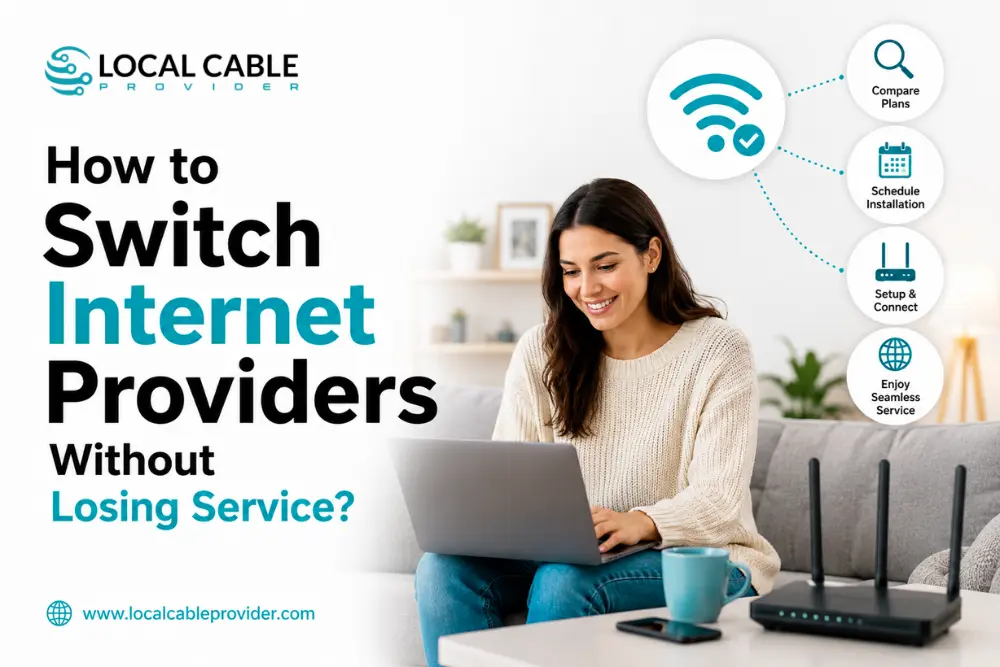
The biggest mistake people make when switching internet providers is cancelling their old service before confirming that the new connection works. If you do this, you could lose internet access for days. Follow this process to avoid interruptions, backed by the FCC’s consumer guidance rather than general advice.
The Quick Answer
| Step | Timing |
|---|---|
| Check availability & order new service | Do this first before contacting your old provider at all |
| New installation | 1–2 days (self-install) to 2 weeks (professional install) |
| Overlap period | Keep both running 3–10 days until the new connection is proven stable |
| Cancel old service | Only after testing the new connection under real use |
| Return old equipment | Within your provider’s window (often 10–30 days) to avoid fees |
The rule that matters most: never cancel your current service until your new one is installed and tested. This isn’t just internet-forum advice it’s the FCC’s own official recommendation (see below).
What the FCC Actually Says About Switching
The FCC’s consumer guide on phone and service porting states plainly: “Do not terminate your service with your existing company before initiating new service with another company.” That’s not a tip from a blog it’s the federal agency’s own official switching guidance, and it applies to the general principle of switching providers, not just phone service.
Two other FCC rules matter here:
Broadband Consumer Labels (“nutrition labels”) since April 10, 2024 (large providers) and October 10, 2024 (smaller providers), every ISP must display a standardized label at the point of sale showing the monthly price, introductory rate terms, all fees, and critically the exact early termination fee, if any. Before you sign up with a new provider, this label is where to check the real cost of leaving later.
Number portability if you have a home phone line (traditional or VoIP) through your current provider, federal rules guarantee you can keep your number when switching, as long as you stay in the same general area. Simple ports must be completed within one business day, and your old provider cannot refuse to port your number even if you have an outstanding balance. Start the port with your new provider before cancelling the old service.
A note on cancellation rights: you may have heard that a federal rule requires companies to make canceling “as easy as signing up.” That rule (the FTC’s “Click-to-Cancel” rule) was finalized in 2024 but was struck down by a federal appeals court in 2025 and is not currently in force nationally the FTC reopened rulemaking on a revised version in March 2026. More than half of U.S. states have their own laws requiring easier cancellation, so protections vary by where you live. Don’t assume a smooth online cancellation is guaranteed; be prepared to call.
Step-by-Step: Switch Guide
1. Check your current contract first.
Look for an early termination fee (ETF) and note the exact amount the broadband label should have it. Real examples from major providers: some (like AT&T Fiber and Optimum) charge no ETF at all on current plans; others (like Frontier’s discounted rate) carry a prorated fee around $100 if you cancel within the first 12 months; satellite TV services can run considerably higher DirecTV’s satellite agreements, for example, allow up to $480 in termination fees depending on months remaining. Knowing this number before you switch avoids a surprise on your final bill.
2. Order your new service before contacting your old provider
Check availability and sign up first. Most self-install setups (common with cable, fiber, and 5G) can activate within a few days; professional installations can take up to two weeks depending on the provider and your address.
3. Schedule an overlap period.
Keep your current service active until the new one is confirmed working. A few days is typically enough, though some households prefer up to a week for peace of mind the extra cost of overlapping service is minor compared to the cost of a work-from-home outage.
4. Test thoroughly before cancelling anything
Run a speed test, join a video call, stream something, and check performance at your actual peak-usage hour (usually evening) not just right after installation when your neighbourhood’s network is quiet.
5. Migrate anything tied to your old provider.
This is the step people forget:
- ISP-branded email (like an @att.net or @spectrum.net address) may stop working once you cancel. Migrate anything important to a provider-independent email (Gmail, Outlook) before you cancel.
- Home phone numbers start the port with your new provider before cancelling old service (see the FCC rule above).
- Smart home devices, streaming logins, and security systems tied to your old network name/password will need reconfiguring to the new Wi-Fi credentials.
6. Cancel your old service by phone, typically
Most providers still require a phone call to cancel rather than an online option (see the note on cancellation rights above). Expect a retention offer; it’s fine to listen, but don’t let it derail your decision if you’ve already found a better deal.
7. Return your equipment immediately
This is where people lose money unnecessarily. Providers set a return window often 10 to 30 days and un-returned equipment gets billed at replacement cost, sometimes $100+ per device. Get a receipt or tracking number for anything you return, and photograph serial numbers before shipping.
8. Check your final bill one cycle later
Prorated charges, equipment fees, or an ETF sometimes show up after the fact. If something looks wrong, you can file a complaint directly with the FCC at consumercomplaints.fcc.gov.
Renters and Landlord Considerations
If you rent, check your lease before switching some buildings have exclusive provider agreements or require landlord approval for a new installation, especially if it involves running a new line. Apartments and condos with existing wiring for multiple providers make this simpler; older buildings without prior fiber installation may need more lead time.
Should You Overlap or Just Risk the Gap?
If your household can tolerate a short gap no one working from home, no students in virtual classes cancelling first and ordering the new service to start immediately afterwards is possible, but riskier than it sounds: installation delays are common, and “next-day” self-install kits sometimes ship later than promised. For anyone who depends on a stable connection daily, the extra cost of a short overlap (typically $20–$50 for a few days of dual billing) is cheap insurance against a multi-day outage.
Once You’re Ready to Switch
- Check availability at your new or current address – Spectrum, AT&T Fiber, Frontier, or Optimum
- Compare providers directly – see Spectrum vs AT&T or Spectrum vs Frontier for real pricing at matching speed tiers
- Confirm the speed you actually need before choosing a new plan see our complete internet speed guide
- Moving as part of the switch? See our guide to setting up internet in a new home
Frequently Asked Questions
Will I lose internet access when I switch providers?
Only if you cancel your old service before the new one is confirmed working. Following the FCC’s own guidance. Order new service first, overlap briefly, then cancel avoids any gap.
Do I have to pay an early termination fee to switch?
Depends on your current contract and provider check your Broadband Consumer Label or bill for the exact amount. Some current plans (like AT&T Fiber and Optimum) carry no ETF at all; others tied to a promotional rate commitment can charge $100 or more if canceled early.
Can I keep my phone number when I switch internet providers?
Yes, if you have a home phone line FCC number portability rules guarantee this as long as you stay in the same general area. Start the port with your new provider before canceling the old service.
What happens to my ISP email address when I cancel?
It typically stops working, sometimes after a grace period. Migrate anything important financial accounts, subscriptions, contacts to a free, provider-independent email address before you cancel.
How long does it take to switch internet providers?
Self-install setups can activate in 1–2 days; professional installations can take up to two weeks. Budget accordingly and don’t cancel your old service until the new one is live and tested.
The Bottom Line
Switching internet providers without losing service comes down to one sequencing rule, straight from the FCC itself: get your new service installed and tested before you cancel the old one. Check your contract for early termination fees, migrate your email and phone number ahead of time, and return your equipment promptly.
Call Local Cable Provider at (409) 273-7460 we’ll help you compare providers at your address and plan a switch with zero downtime.