
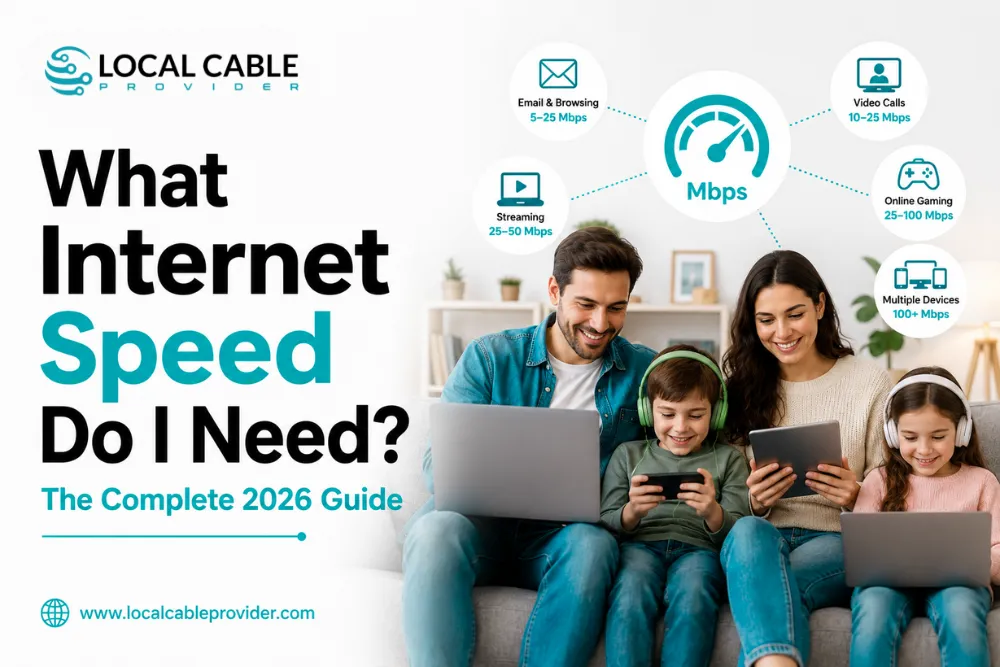
Providers love to sell you the fastest plan they offer. But most households either overpay for speeds they never use or underbuy and struggle with bandwidth every evening at 8 PM. This guide uses official FCC benchmarks, published requirements from Netflix, Zoom, Xbox, PlayStation, and NVIDIA, plus real-world household data, so you can determine your actual speed needs instead of guessing.
The Quick Answer
| Household | Recommended Speed | Who This Fits |
|---|---|---|
| 1 person | 50–100 Mbps | Browsing, HD streaming, occasional video calls |
| 2 people | 100–200 Mbps | Two simultaneous heavy users — one on a call while the other streams 4K |
| 3–4 people (family) | 200–500 Mbps | The most common household — multiple streams, gaming, remote work at once |
| 5+ people or power users | 500 Mbps–1 Gbps | Large families, content creators, multiple remote workers, heavy smart-home setups |
If you want the precise number for your situation, keep reading the table above is a starting point, not the full picture.
What the FCC Actually Says
The FCC’s official Broadband Speed Guide publishes minimum download speeds for individual activities, based on one activity running at a time:
| Activity | Minimum Download Speed |
|---|---|
| General browsing, email, social media | 1 Mbps |
| VoIP calls / online radio | Under 0.5 Mbps |
| Streaming standard definition (SD) video | 3–4 Mbps |
| Streaming HD video | 5–8 Mbps |
| Streaming Ultra HD 4K video | 25 Mbps |
| Telecommuting / online classes | 5–25 Mbps |
| File downloading | 10 Mbps |
| Standard video call | 1 Mbps |
| HD video call | 1.5 Mbps |
| HD video teleconferencing | 6 Mbps |
| Game console connecting online | 3 Mbps |
| Online multiplayer gaming | 4 Mbps |
Important context: in 2024, the FCC raised its official broadband benchmark from 25 Mbps/3 Mbps (set back in 2015) to 100 Mbps download / 20 Mbps upload recognizing that the old standard no longer reflects how households actually use the internet. The FCC has also set a long-term goal of 1 Gbps download / 500 Mbps upload as the target for future-ready home infrastructure. Treat 100/20 as the floor for a household with more than one active user, not the target.
Where the U.S. Actually Stands on Speed in 2026
The National Picture
As of May 2026, Ookla’s Speedtest Global Index puts the U.S. median fixed broadband speed at roughly 307 Mbps download and 56 Mbps upload, with typical latency around 13ms ranking the country 8th–9th fastest in the world. That’s a dramatic jump from just 31 Mbps a decade ago, and nine in ten U.S. households can now access speeds of at least 100 Mbps. In other words: the “average” home connection today would have sounded like a business-grade line in 2015.
The FCC’s Household Broadband Guide (By Device Count, Not Just Activity)
Beyond the per-activity minimums above, the FCC also publishes a simpler household-level guide based on number of users and usage intensity:
| Users/Devices | Light Use | Moderate Use | High Use |
|---|---|---|---|
| 1 | Basic (3–8 Mbps) | Basic (3–8 Mbps) | Medium (12–25 Mbps) |
| 2 | Basic (3–8 Mbps) | Medium (12–25 Mbps) | Medium–Advanced (12–25+ Mbps) |
| 3 | Medium (12–25 Mbps) | Medium (12–25 Mbps) | Advanced (25+ Mbps) |
| 4 | Medium (12–25 Mbps) | Advanced (25+ Mbps) | Advanced (25+ Mbps) |
Worth noting: these FCC household tiers are noticeably more conservative than real-world 2026 usage patterns and the household recommendations earlier in this guide a sign of how quickly bandwidth needs have grown since these baseline figures were set, and why we recommend budgeting above the bare federal minimum.
Speed Requirements by What You Actually Do
The FCC table above covers general categories here’s what specific popular services actually require, straight from their own documentation:
Netflix (per Netflix’s Help Center): 3 Mbps for SD, 5 Mbps for HD, and 25 Mbps recommended for Ultra HD 4K. That’s per stream — two people watching 4K simultaneously need roughly 50 Mbps just for video, before anything else running in the household.
Zoom (per Zoom’s published bandwidth requirements): a 1:1 HD call needs about 1.2–1.8 Mbps up and down. A group call in full 1080p HD needs roughly 3–3.8 Mbps up and down per participant. Multiply that by however many people in your house might be on a call at once.
Gaming consoles (Xbox and PlayStation): both list a bare minimum of 3 Mbps download and 0.5–1 Mbps upload just to connect and play online. That minimum is misleading, though it gets you online, not a good experience. For smooth play with multiple household devices active, aim for 25–100 Mbps, and prioritize low latency (under 50ms ping) over raw speed, since gaming barely uses bandwidth but is highly sensitive to lag.
Cloud gaming (Xbox Cloud Gaming, NVIDIA GeForce NOW, PlayStation streaming) is a different animal you’re streaming live video of the game itself, not just game data. NVIDIA’s official GeForce NOW requirements: 15 Mbps for HD, 25 Mbps for Full HD at 60fps, and 45 Mbps for 4K at 120fps on their Ultimate tier. Xbox Cloud Gaming recommends around 20 Mbps. If cloud gaming is a regular activity in your house, budget for it separately from regular console gaming.
The Overlooked Factor: Upload Speed
Almost every speed guide focuses on download but upload is where most households actually get bottlenecked. Video calls, cloud backups, posting content, and multiplayer gaming all depend on upload speed, and it’s the one number cable providers routinely shortchange: a 500 Mbps cable plan typically uploads at only 20–40 Mbps, while a fiber plan at the same download speed uploads at the full 500. If your household has more than one person on video calls regularly, works from home, or backs up photos/files to the cloud, upload speed deserves as much attention as download see our full breakdown in fiber vs cable internet.
Don’t Forget Your Smart Home Devices
The average U.S. household now has 15–25 connected devices smart speakers, thermostats, doorbells, cameras, plugs, TVs, and more, according to multiple 2026 industry surveys. Most of these use very little bandwidth on their own:
- Passive devices (smart plugs, sensors, thermostats): under 1 Mbps each negligible individually, but they add up in large numbers
- Security cameras: the real bandwidth users a single HD camera uploading continuously uses roughly 3–5 Mbps, and a 4K camera can use significantly more; multiple cameras streaming at once can quietly consume 20–40 Mbps of upload in the background
- Smart TVs and streaming devices: full bandwidth of whatever they’re actively streaming (see the Netflix numbers above)
A household that “only has a few devices” streaming or gaming can still have 15+ silent background connections drawing a steady baseline of bandwidth around the clock.
How to Calculate Your Own Number
- List what runs at the same time during your busiest hour (usually 7–9 PM) count streams, video calls, gaming sessions, and active smart-home cameras
- Add up the Mbps for each, using the numbers above (25 Mbps per 4K stream, 4 Mbps per gaming session, 4 Mbps per video call, 5 Mbps per security camera)
- Add 20–30% headroom published minimums are floors, not comfortable targets, and real connections rarely deliver their full advertised speed at peak hours
- Round up to the nearest common plan tier most providers sell in steps of 100, 300, 500, and 1,000 Mbps
Example: A family of four with two people streaming 4K (50 Mbps), one on a video call (4 Mbps), one gaming (4 Mbps), plus three security cameras (15 Mbps) = 73 Mbps at peak. Add 25% headroom → roughly 90 Mbps needed. Round up → a 100–200 Mbps plan comfortably covers this household, with 300 Mbps giving real breathing room for growth.
Real-World Household Scenarios
Single professional, remote work + streaming: One video call (4–6 Mbps), one 4K stream in the background, occasional gaming. 50–100 Mbps is comfortable; budget users can get by on 25–50 Mbps if usage is mostly sequential rather than simultaneous.
Couple, both working from home: Two simultaneous video calls (8–12 Mbps combined), plus evening streaming. 100–200 Mbps and pay attention to upload speed here, since two calls at once is exactly where cable’s weak uploads show their limits.
Family of four, mixed use: Multiple streams, one gamer, smart home devices, weekend video calls to relatives. 200–500 Mbps this is the most common household profile, and 300 Mbps is typically the sweet spot of price versus performance. See our guide to Spectrum’s speed tiers for how this maps to actual plans.
Large household or power users: 5+ people, content creators uploading video, competitive gamers, heavy smart-home automation with many cameras. 500 Mbps–1 Gbps, with upload speed as the deciding factor this is where symmetrical fiber plans meaningfully outperform cable at the same download number.
Once You Know Your Number
- Check what’s available at your address the right speed only matters if you can actually get it. Check Spectrum, AT&T Fiber, Frontier, or Optimum at your specific address
- Compare fiber vs cable if both are options see our full fiber vs cable comparison for how upload speed factors in
- Check our provider comparisons Spectrum vs AT&T and Spectrum vs Frontier to see real pricing at matching speed tiers
- Moving soon? See our guide to setting up internet in a new home
Frequently Asked Questions
Is 100 Mbps enough for a family?
For light use, yes but most families of 3-4 with streaming, gaming, and remote work running simultaneously will feel the ceiling. 200–300 Mbps is a more comfortable real-world target.
Do I need gigabit internet?
Most households don’t need a full 1,000 Mbps it mainly benefits large households (5+ people), content creators uploading large files, or homes with 30+ connected devices. For most families, 300–500 Mbps delivers the same day-to-day experience for less money.
Why is my internet slow even though I pay for a fast plan?
Usually one of three things: Wi-Fi congestion (too many devices on one router), an outdated router that can’t handle your plan’s full speed, or upload-speed bottlenecks during video calls download speed isn’t the only number that matters.
Does upload speed matter if I don’t work from home?
Yes, more than most people realize video calls, cloud photo backups, gaming, and posting content on social media all depend on upload speed, and cable’s weak uploads (typically 10–40 Mbps regardless of plan) can bottleneck a household even on a fast download plan.
How much speed do I need for multiple 4K TVs?
Roughly 25 Mbps per simultaneous 4K stream, per Netflix’s own guidance. Three TVs streaming 4K at once need about 75 Mbps just for video, before anything else in the house.
The Bottom Line
Most households land in the 200–500 Mbps range once you account for real simultaneous usage streaming, gaming, video calls, and the silent background load of 15-25 connected smart devices. Use the calculation method above to find your actual number, then check what’s available at your address.
Call Local Cable Provider at (409) 273-7460 and we’ll match the right speed and provider to your household not just sell you the biggest number on the page.